Reviving the Past - Discovering the Ultimate Archive for Classic Windows

If you’ve ever tried to restore a classic PC—whether it’s a nostalgic Windows XP gaming rig or a Windows 7 laptop for a specific piece of legacy hardware—you’ve likely hit a brick wall. Microsoft has been systematically scrubbing its official "Download Center" of older files, leaving thousands of essential drivers, service packs, and classic tools in the digital void.
Enter Legacy Update: Download Center, a community-run "time machine" that is quickly becoming the most important bookmark for retro-computing enthusiasts.
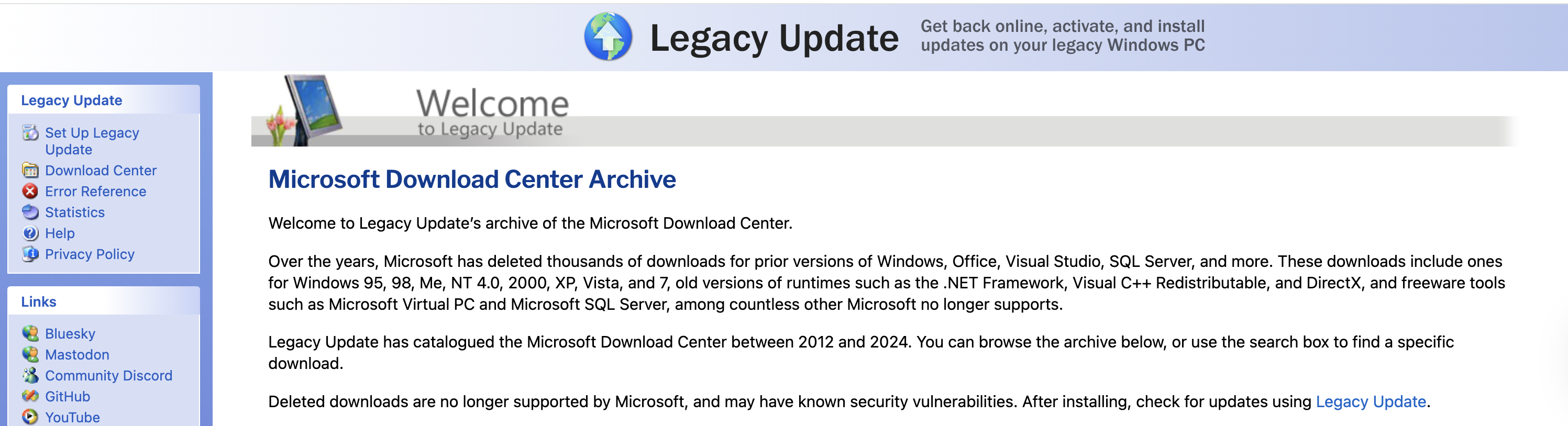
What is the Legacy Update Download Center?
While the main Legacy Update project is famous for restoring the actual "Windows Update" service to older OSs (allowing them to talk to update servers again), the Download Center is a specifically curated archive.
It is a massive, searchable database of over 41,000 downloads that Microsoft has deleted from its official site between 2012 and 2025. Instead of hunting through sketchy third-party "driver" sites filled with malware, this archive provides the original, authentic files sourced from the Internet Archive’s Wayback Machine and the Archive Team.
Why This is a Game-Changer
Finding a specific KB (Knowledge Base) update or an old version of the .NET Framework used to be a scavenger hunt. The Legacy Update Download Center simplifies this by offering:
- Classic Runtimes & SDKs: Need DirectX 9.0c, Visual C++ Redistributables from 2005, or .NET Framework 1.1? They’re all here, organized and ready.
- Deleted Microsoft Tools: Remember SyncToy, Windows Movie Maker, or the Office Viewers? These "abandoned" pieces of software are preserved here.
- Service Packs & Bootstrappers: If you’re doing a fresh install of Windows 2000 or XP, you often need specific updates (like SHA-2 support) just to get the system onto the internet. This site provides those "first-step" files.
- Legacy OS Support: While it focuses on the NT era (2000, XP, Vista, 7), it also hosts treasures for Windows 95, 98, and Millennium Edition (Me).
Beyond Just Files: Restoring Functionality
The beauty of this site is that it isn’t just a list of links. The creator, Adam Demasi, and the contributing community have built it to fix the connectivity issues inherent in old software.
For instance, many old versions of Internet Explorer can’t even load modern websites because of outdated security certificates. Legacy Update provides the tools to update those root certificates so you can actually use the web again on your vintage machine.
How to Use It
Simply head over to the Download Center and use the search bar. You can search by:
- KB Number (e.g., "KB976932" for Windows 7 SP1)
- Product Name (e.g., "Office 2003")
- File Category (e.g., "Drivers" or "Security Updates")
A Note on Safety
Because these files are no longer supported by Microsoft, they don’t receive modern security patches. Using them on a machine connected to your main home network always carries some risk. However, for the retro hobbyist, this is the safest way to get "official" files that have been verified by the community.
Final Thoughts
The Legacy Update Download Center is more than just a file host; it’s an act of digital preservation. It proves that even when the original creators "move on," the community will always be there to keep the lights on for the hardware we still love.
If you’ve got an old PC gathering dust in the attic, now is the perfect time to fire it up and see what you can revive.
Explore the archive here: https://legacyupdate.net/download-center/